
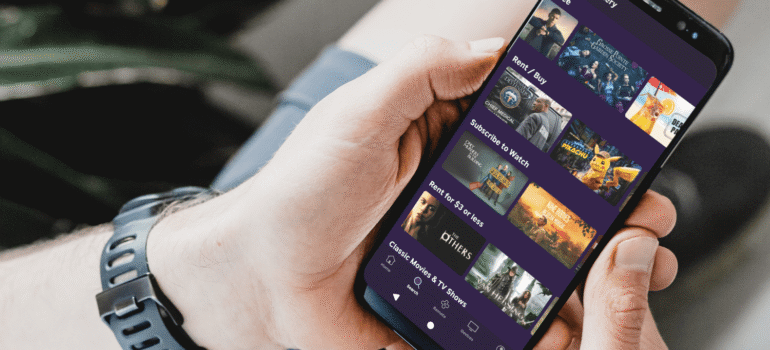
We live in a fast-paced world. Between the morning commute, picking up the kids from school, and traveling for work, you aren’t always sitting in front of your 65-inch TV in the living room.
But that doesn’t mean you have to miss the climax of Anupamaa or the final over of the cricket match.
Gone are the days when “TV” meant being stuck on the couch. With MyDesiPTV, your smartphone transforms into a powerful, pocket-sized television. Whether you have an iPhone or an Android, you can carry 10,000+ live channels in your pocket and watch them anywhere—from the train station in London to the airport lounge in New York.
Here is how to turn your phone into the ultimate entertainment device.
Why Stream on Mobile?
You might think, “Why would I watch TV on a small screen?” Once you try it, you will realize it changes everything.
1. Commuting Made Fun
Stuck on a 45-minute train ride or bus journey? Instead of staring at the ceiling, you can watch a full episode of your favorite drama. The time flies by.
2. The “Second Screen” Benefit
Is your spouse watching football on the main TV, but you want to watch Bigg Boss? You don’t need to fight for the remote. Just plug in your headphones, open the app on your phone, and enjoy your show in peace.
3. Travel Companion
Visiting relatives or staying in a hotel with boring local channels? Your subscription travels with you. As long as you have Wi-Fi or 4G/5G, you have your entire channel list with you.
Visit: How to Watch Your Favorite Hindi Channels in the USA Without Cable?
How to Set It Up (3 Easy Steps)
Getting your favorite channels on your mobile is even easier than setting it up on a Firestick.
Step 1: Download the App
We use a dedicated media player that is light, fast, and battery-friendly.
-
For Android Users: Download the app directly from our secure link (provided in your welcome email).
-
For iPhone (iOS) Users: Download the “Smarters Player Lite” or our recommended iOS player from the Apple App Store.
Step 2: Login with Your Details
Open the app. You will see fields for:
-
Username
-
Password
-
URL (Server Address) (These are all inside the “Welcome Email” we sent you when you signed up).
Step 3: Start Watching
Click “Login”. Within seconds, your dashboard will load. Tap “Live TV”, pick your category (e.g., Hindi Entertainment), and tap a channel to play.
3 Tips to Save Mobile Data While Streaming
One big worry people have is data usage. “Will streaming TV eat up all my 5G data?” Not if you do it right. Here is how to watch for hours without draining your plan.
1. Use Wi-Fi Whenever Possible
This is obvious, but key. Download episodes or buffer live streams while you are on office or home Wi-Fi before you leave.
2. Lower the Video Quality
On a massive 65-inch TV, you need 4K or 1080p. But on a 6-inch phone screen? You barely notice the difference between 720p and 1080p.
-
Tip: If your player allows it, switch the stream quality to “SD” or “Low” when on mobile data. This can reduce data usage by up to 60%.
3. Use the “Audio Only” Mode (For News/Cricket)
If you are driving and just want to listen to the cricket commentary or the News debate, some players allow you to turn off the video and just stream audio. This uses almost zero data and keeps you updated safely.
The “Multi-Screen” Magic
Did you know your MyDesiPTV subscription isn’t limited to just one device? (Check your specific plan details, but most include multi-device support!).
This means you can start watching a movie on your TV in the living room, pause it when you need to leave, and pick it up right where you left off on your phone while sitting in the car. It’s a seamless experience designed for your busy lifestyle.
Conclusion: Entertainment in Your Pocket
Your phone is capable of doing so much more than just scrolling through Instagram reels. It is a gateway to your culture, your language, and your favorite stories.
Next time you are waiting at the doctor’s office or sitting on a long bus ride, don’t be bored. Tune into MyDesiPTV and take your home with you.
Don’t have a mobile subscription yet? [Contact Support] to add a mobile connection to your current plan today!