
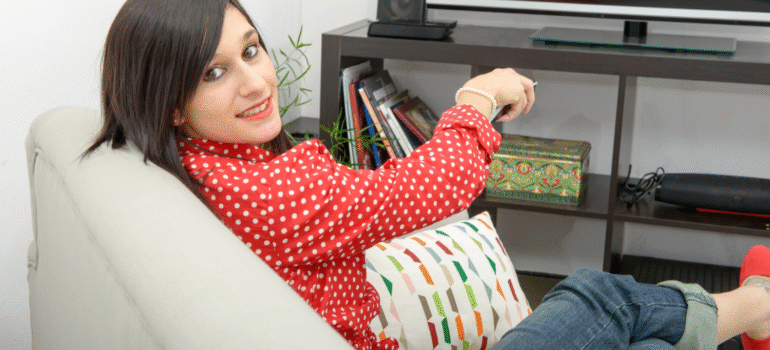
Take a look at your living room TV setup right now. What do you see?
A beautiful 4K Smart TV mounted on the wall, and a mess of wires hanging underneath it. There is the bulky satellite box. The cable box rental. Maybe a separate DVR unit. And a pile of 3 different remote controls on the coffee table.
For years, Desi families in the USA, UK, and Canada have been forced to rent ugly, expensive hardware just to watch Star Plus or Zee TV. You pay a “Monthly Equipment Fee” for a box that collects dust, overheats, and makes your clean living room look cluttered.
It is 2026. You don’t need the box anymore.
Your Smart TV is powerful enough to do it all. Here is how you can declutter your home, save money on rental fees, and watch 10,000+ Hindi channels directly on your screen with MyDesiPTV.
The “Hardware Trap”: Why You Are Overpaying
Traditional satellite and cable providers love hardware. Why? Because it locks you in.
-
Rental Fees: Look at your bill. You are likely paying $10-$15 per month just to rent the box. That is $180 a year—money that gets you zero extra entertainment.
-
The “Multi-Room” Tax: Want to watch Hindi movies in the bedroom too? That’s another box, and another $10/month fee.
-
The Ugly Dish: If you rent an apartment or condo, you know the pain of asking the landlord for permission to install a satellite dish on the balcony.
The New Way: Zero Hardware, 100% Digital
MyDesiPTV is an app-based service. If you have an internet connection and a screen, you have a TV connection.
We have eliminated the middleman (the box). By installing our MyDesi Player directly onto your Smart TV or streaming stick, you get the exact same channel list—often with better picture quality—without the clutter.
Supported Devices You Already Own:
-
Samsung & LG Smart TVs: Download our app directly from the store.
-
Android TVs (Sony, TCL, Hisense): Native support for the highest performance.
-
Amazon Firestick: The most popular option for turning any old TV into a Hindi entertainment powerhouse.
-
Apple TV: For the premium experience.
How to Set It Up (In 5 Minutes)
You don’t need to wait for a technician to come to your house between “9 AM and 5 PM.” You can do this yourself right now.
Step 1: Get Your Subscription Sign up for a MyDesiPTV plan (Monthly or Yearly). You will instantly receive your login details via email.
Step 2: Download the App
-
For Firestick/Android: Open the ‘Downloader’ app and type in our direct URL (provided in your email).
-
For Samsung/LG: Search for the ‘IPTV Smarters’ or ‘IBO Player’ app in your TV’s app store.
Step 3: Login & Watch Enter your Username and Password. Boom. Your TV interface transforms. You now have a TV Guide (EPG) showing Aaj Tak, Sony SAB, Colors, and thousands more, categorized neatly by language and genre.
Visit: Watch TV on the Go: How to Stream Hindi Serials on Your Phone
The “Smart” Advantages
Moving to an app-based system isn’t just about saving space; it’s about getting features that old cable boxes can’t offer.
1. 4K & HD Quality
Old set-top boxes often compress the signal. Our digital streams utilize your high-speed internet to deliver crisp 1080p and 4K quality, making the colors on The Kapil Sharma Show pop like never before.
2. Take It With You
Going on vacation to Cancún or visiting family in India? You can’t rip your satellite dish off the roof and take it with you. But you can take your login. MyDesiPTV works anywhere in the world. Just login on your phone or tablet at the hotel, and you won’t miss a single episode of Anupamaa.
3. Instant Updates
When a new channel launches (like a new Sports 18 feed for WPL Cricket), we add it to your list remotely. No need to call customer service or swap out your box for a “newer model.”
Conclusion: Cut the Cord, Keep the Culture
You bought a Smart TV for a reason. Let it be smart.
Stop paying rental fees for 1990s technology. Clear the wires, toss the extra remotes in a drawer, and switch to the modern way of watching Hindi television.